
Master the Instant Transfer to Philippines on Unplex
Sending financial support from the United States to loved ones in the Philippines can feel urgent, but many traditional services add stress with fees and waiting times. Filipino expatriates want a way to move money instantly and safely, all while avoiding hidden charges. By connecting your WhatsApp and Unplex accounts, you create a secure channel for zero-fee transfers that reach family members in minutes. Discover how to turn everyday messaging into a trusted lifeline for your family’s needs.
Table of Contents
- Step 1: Prepare WhatsApp And Unplex Account
- Step 2: Complete KYC And Bank Verification
- Step 3: Initiate Instant Transfer Via WhatsApp
- Step 4: Confirm Transfer And Recipient Details
- Step 5: Verify Transfer Completion And Rewards
Quick Summary
| Key Point | Explanation |
| 1. Set Up WhatsApp or Unplex Mobile App | Ensure WhatsApp or the Unplex Mobile App is installed and configured properly for seamless transfers to the Philippines. |
| 2. Complete KYC and Bank Verification | Verify your identity and link your U.S. bank account for secure transactions, requiring just a few documents. |
| 3. Initiate Transfer via WhatsApp or Unplex Mobile App | Use WhatsApp or the Unplex Mobile App to send money quickly; just enter the required details in the Unplex chat. |
| 4. Confirm Recipient Details | Review all transfer information carefully to prevent errors or delays in sending money. |
| 5. Check Transfer Completion & Rewards | Verify that the funds arrived and track any rewards earned for regular transfers to enhance your experience. |
Step 1: Prepare WhatsApp and Unplex Account
Getting ready to send money instantly through Unplex starts with two simple setups: making sure WhatsApp is ready on your phone and creating your Unplex account. Both take just a few minutes, but they’re essential for smooth transfers to your family back home.
First, download WhatsApp from your device’s app store if you haven’t already. Open the app and verify your phone number—WhatsApp will send you a verification code via SMS. Once verified, your account is active and ready to receive messages. This is where all your transfer instructions and notifications will come through, so make sure you’re using the phone number you check regularly.
Next, secure your WhatsApp setup by enabling end-to-end encryption protections in your account settings. This keeps your financial conversations completely private:
- Go to Settings > Account > Two-Step Verification
- Set up a PIN code (6+ digits)
- Enable encrypted backups if your device supports it
- Review your privacy settings to control who can see your profile
With WhatsApp secured, create your Unplex account. Visit the Unplex website or open WhatsApp and start a chat with the Unplex number. You’ll complete a quick registration process that includes basic identity verification (KYC). Have your ID document ready and provide accurate information matching your bank account.
After registration, link your U.S. bank account to Unplex. You’ll need your routing number and account number. This connection lets you send money from your American bank to Philippine accounts instantly, with zero transfer fees. The platform verifies your banking details to prevent fraud and ensure secure transactions.
Finally, confirm that both apps are working together by testing a message. Send a simple text to the Unplex WhatsApp number—you should receive a confirmation response. This confirms your account is active and ready for transfers.
Your WhatsApp account and Unplex connection work as one system, so both must be fully set up before your first transfer.
Pro tip: Save the Unplex WhatsApp number to your phone contacts right away with a clear label like “Unplex Money Transfer.” This prevents accidental messages and makes finding the service instantly easy whenever you need to send money to your family.
Step 2: Complete KYC and Bank Verification
Now that your accounts are set up, you need to complete Know Your Customer (KYC) verification and link your bank information. This step protects both you and Unplex by confirming your identity and preventing fraud. It typically takes 10-15 minutes and requires just a few documents.
Start by gathering the documents you’ll need for identity verification. Banks worldwide use customer identification procedures that require official government-issued ID. Have one of these ready:
- Valid passport
- Driver’s license
- National ID card
- State ID
Open your Unplex account on your phone and navigate to the verification section. You’ll see a form asking for personal information—full name, date of birth, address, and citizenship. Enter everything exactly as it appears on your ID document. Any mismatches will slow down the process, so double-check before submitting.
Next comes the identity document upload. You’ll photograph both sides of your ID or take a clear scan. Make sure the image is bright, sharp, and shows all corners of the document. Unplex will verify your document against their secure database to confirm authenticity.
Some accounts require biometric verification as an extra security layer. If prompted, you’ll take a selfie or video to confirm the person in your ID matches you. This happens in the app and takes about 30 seconds. Keep your face centered and your lighting clear.
After identity verification succeeds, you’ll link your U.S. bank account. Unplex needs your routing number and account number—both appear on the bottom left of your checks. You may also need to verify the account by confirming two small deposits that Unplex sends to your bank. Check your account within 24 hours and enter the deposit amounts shown.
Once both identity and bank verification are approved, your account moves to active status. You’ll receive a confirmation message. At this point, you’re ready to send money to your family in the Philippines immediately.
Verification typically completes within 24 hours, but some accounts process in minutes depending on document quality and bank response times.
Pro tip: Take your ID photos in natural daylight near a window, avoiding shadows and glare on the document surface. Clear, well-lit images approve faster than dark or blurry ones, sometimes cutting your wait time in half.
Step 3: Initiate Instant Transfer via WhatsApp
This is where the magic happens. You’ll send money to your family in the Philippines directly through WhatsApp in just a few taps. The whole process takes less than two minutes, and your recipient gets the funds instantly.
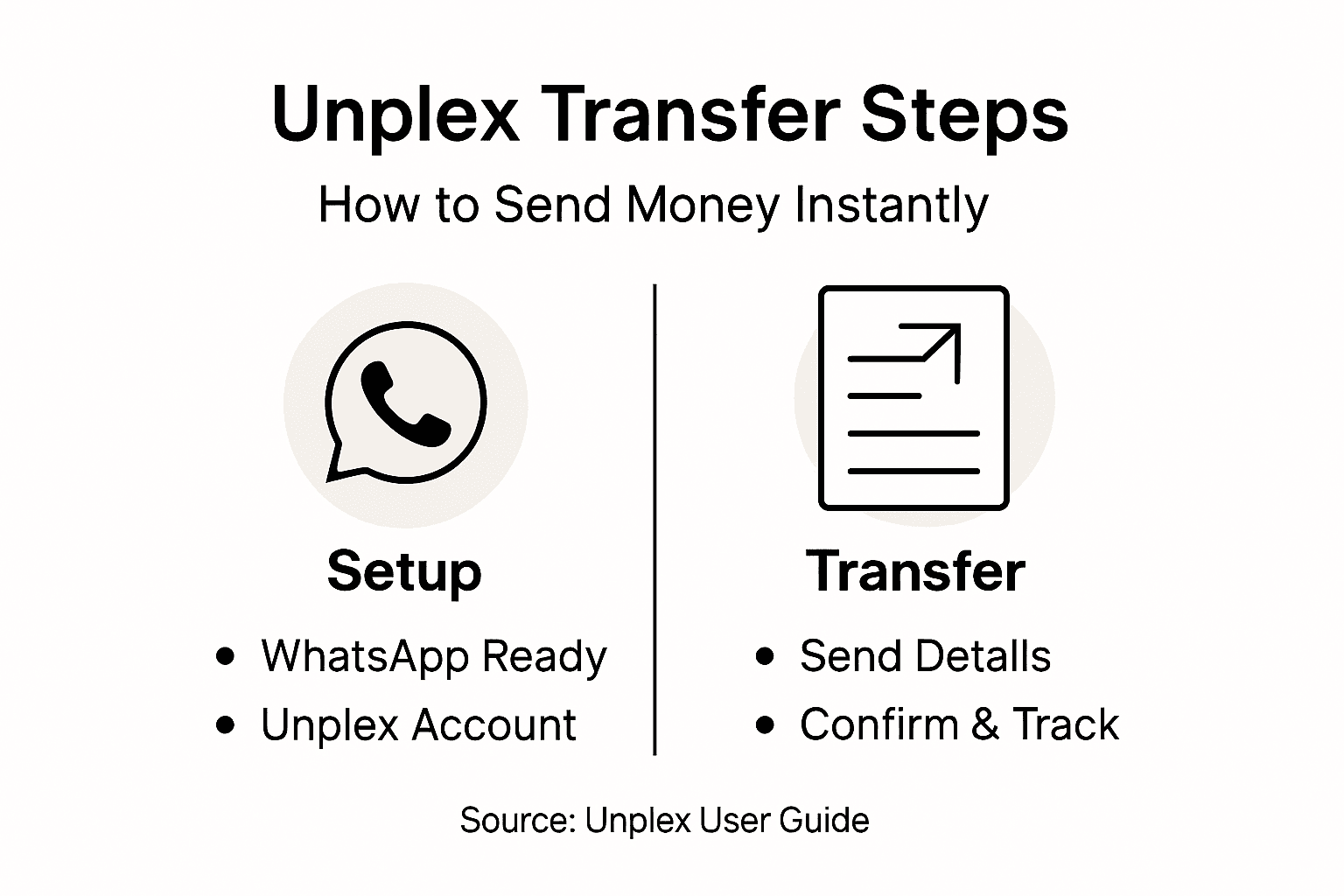
Open WhatsApp and find the Unplex chat. If you saved the number earlier, it’s labeled and easy to find. Tap on the chat to open your conversation thread with Unplex.
Send a message to Unplex with the transfer details. You’ll need to include the amount in U.S. dollars, your recipient’s name, and their Philippine bank account information. Type something like: “Send $100 to Maria Santos at BDO account 123456789.” Unplex will respond with a confirmation request and fee details.
Before confirming, review the information Unplex sends back. Double-check that the recipient’s name and account number match exactly. Make sure you approve the zero-fee transfer amount. When everything looks correct, reply with your confirmation.
Unplex processes the request immediately. Within seconds to minutes, your recipient receives the money in their Philippine bank account. You’ll get a notification in WhatsApp confirming the transaction was successful, including a reference number for your records.
You can track transfer status through WhatsApp messages. Unplex sends updates as the payment moves through the system. Stable internet connection ensures these instant transfer notifications arrive without delay.
That’s it. No apps to download separately, no complicated forms to fill out again, no waiting days for the money to arrive. Your family has the cash they need, right away.
Compare common money transfer methods for sending to the Philippines:
| Method | Processing Time | Fees | Ease of Use |
| Unplex via WhatsApp | Seconds to minutes | Zero | Simple chat flow |
| Bank Wire | 1-2 business days | $10-40 | Requires bank visit or login |
| Money Transfer Apps | Hours to 2 days | $5-15 | Mobile app required |
| Cash Remittance | Instant with pickup | $5-20 | Visit store location |
Repeat this process whenever you need to send money. Each transfer takes the same simple steps. Regular senders often establish preferred recipients in their Unplex chats for even faster repeat transfers.
The entire transfer from tap to completion happens in your WhatsApp inbox, making it the fastest and most convenient way to support your family back home.
Pro tip: Save your frequent recipient details (names and account numbers) in a note or memo app so you can quickly copy and paste them into WhatsApp, cutting your transfer time to under 60 seconds.
Step 4: Confirm Transfer and Recipient Details
Before your money leaves your account, you need to verify every detail is correct. This confirmation step prevents costly mistakes and ensures your family gets the money in the right account. Take 30 seconds to review everything carefully.
When Unplex responds to your transfer request, read the message thoroughly. The confirmation message will show the amount being sent, your recipient’s name, their bank account number, and the receiving bank. Each piece of information must match exactly what you intended.
Check these details closely:
- Amount in USD matches what you wanted to send
- Recipient’s full name spelled correctly
- Bank account number is complete and accurate
- Receiving bank name is correct
- Transfer fee amount (should be zero on Unplex)
If anything looks wrong, stop immediately. Do not confirm. Reply to Unplex explaining the error and provide the correct information. They’ll generate a new confirmation with the accurate details. This prevents sending money to the wrong account, which can delay or even lose your transfer.
Once you’ve verified every detail matches your intent, reply with your confirmation. Systems that facilitate transfer confirmations require this authorization to proceed. Your confirmation is your signature approving the transaction.
After you confirm, Unplex immediately begins processing. You’ll see status updates in WhatsApp showing the transfer is being processed and delivered to the Philippine bank. Most transfers complete within one to five minutes, though some may take slightly longer during peak hours.
You’ll receive a final confirmation message with a transaction reference number. Save this number in case you need to track the transfer later or contact customer support. Your recipient should see the money in their account around the same time you get this confirmation.
Double-checking recipient details takes 30 seconds but prevents problems that could take days to fix.
Pro tip: Create a checklist on your phone of your frequent recipients’ exact names and account numbers as they appear in their bank system, then copy and paste during confirmation to eliminate typing errors completely.
Step 5: Verify Transfer Completion and Rewards
Your money is on its way. Now you’ll confirm it arrived safely and unlock any rewards Unplex offers for your transfer. This final step takes just a couple of minutes and gives you peace of mind.
Check your Unplex account in WhatsApp for the final confirmation message. This message contains your transaction reference number, the exact amount sent, and estimated arrival time at your recipient’s bank. Screenshot this confirmation and save it for your records. You may need it if questions arise later.
Ask your family member in the Philippines to verify the money arrived in their bank account. They should check their balance or look for a deposit notification from their bank. Once they confirm receipt, your transfer is complete. Most arrivals happen within five minutes, though some banks take up to 24 hours during holidays or weekends.
Now comes the good part: checking your rewards. Unplex offers benefits for regular senders:
- Cashback rewards on each transfer you complete
- Referral bonuses when you invite friends to use Unplex
- Credit-building benefits through your transfer history
Open your Unplex account dashboard to see your accumulated rewards. You can typically apply cashback to your next transfer immediately, reducing that transaction’s cost. Your transfer completion status is tracked automatically, so rewards update as soon as your transfer settles.
If you referred friends to Unplex, their successful transfers earn you bonus funds. Check the referral section to see pending and completed referral rewards. Many users build a steady income stream by sharing Unplex with their Filipino community.
For credit-building benefits, your transfer history is reported to help establish or improve your credit profile over time. Each successful transfer adds to your record, strengthening your financial profile for future borrowing or financial products.
Every transfer you complete brings you closer to larger rewards and better credit standing.
Pro tip: Set a reminder to check your rewards monthly, as cashback and referral bonuses can add up quickly and offset future transfer costs or provide extra money to send home.
Here’s a summary of the Unplex transfer steps and their main purpose:
| Step | Main Action | Purpose |
| Prepare Accounts | Set up WhatsApp and Unplex | Enable secure messaging and transfers |
| KYC & Bank Verification | Submit ID and bank info | Ensure safety and compliance |
| Send Transfer | Use WhatsApp to initiate | Fast, simple money sending |
| Confirm Details | Review recipient info | Prevent errors and delays |
| Completion & Rewards | Check final deposit and rewards | Gain benefits and peace of mind |
Simplify Your Instant Transfers with Unplex Today
Sending money through WhatsApp may seem straightforward, but challenges like secure account setup, accurate KYC verification, and confirming recipient details can create uncertainty and overwhelm. The article “Master the Instant Transfer Process on Unplex” highlights the common pain points of ensuring privacy with end-to-end encryption, preventing costly errors when confirming transfer information, and managing seamless zero-fee transactions in real time. These hurdles often slow down or complicate what should be a quick and stress-free way to support your loved ones.
Unplex removes these barriers with a user-first approach designed for your peace of mind and convenience. With lightning-fast transfers, secure bank verification, simple WhatsApp messaging for sending money, and rewards that grow with every transaction, Unplex helps you send funds instantly and confidently to the Philippines, India, and beyond. Discover how easy it is to protect your account, complete KYC quickly, and confirm every detail securely while enjoying cashback and credit-building benefits.
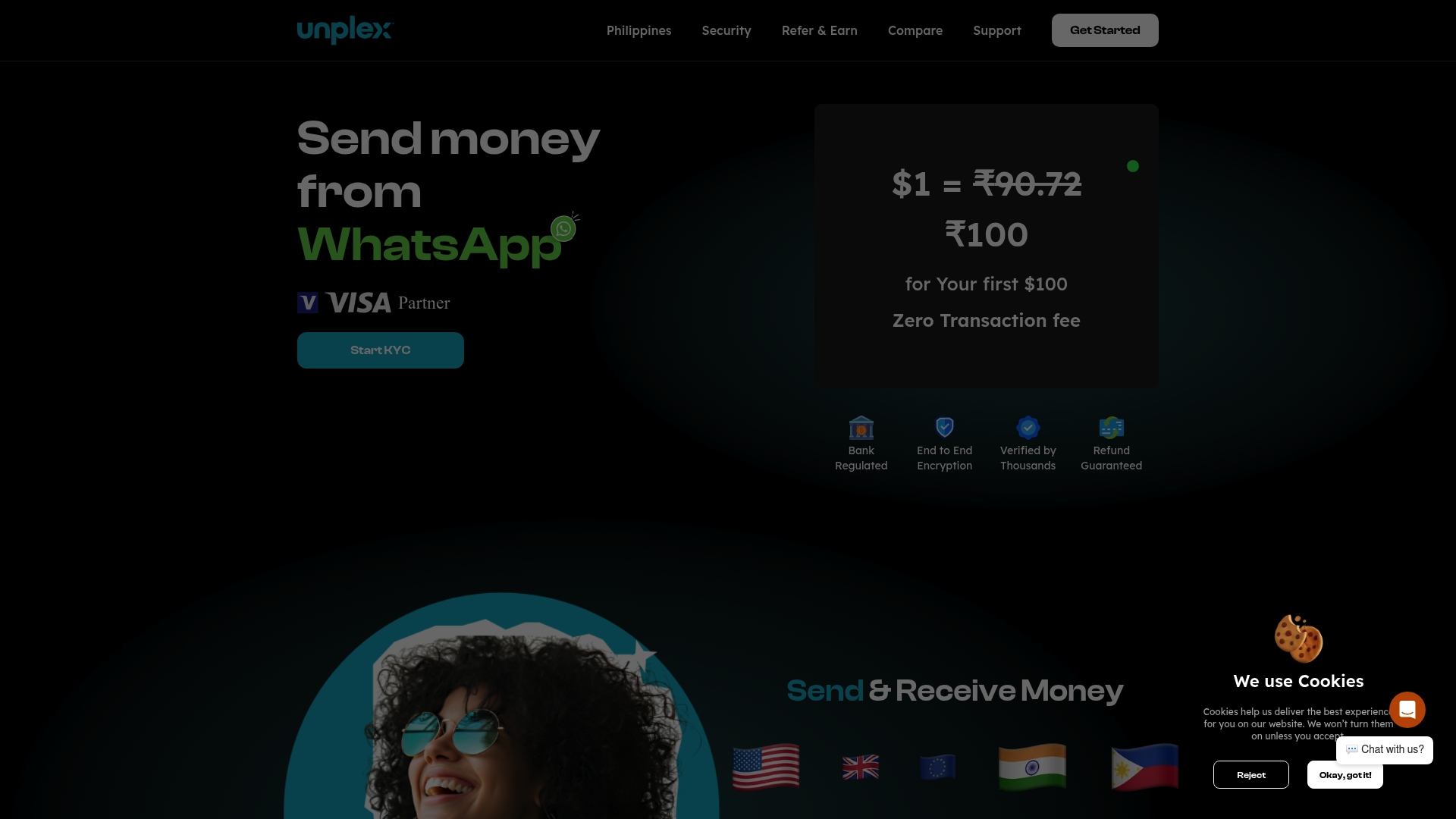
Ready to experience the fastest and safest way to send money with no hidden fees and total transparency? Visit Unplex now and master your instant transfers today. Your family deserves secure, instant support—make your first transfer with confidence and see how Unplex can transform your sending experience.
Frequently Asked Questions
How do I initiate an instant transfer using Unplex?
To start an instant transfer with Unplex, open WhatsApp and find the chat with Unplex. Send a message that includes the amount you wish to transfer, the recipient’s name, and their bank account information.
What documents do I need to complete the KYC verification for Unplex?
You will need a valid government-issued ID, such as a passport or driver’s license, for the KYC verification process on Unplex. Gather your ID and ensure it matches the personal information you will provide during the registration.
How long does it take to verify my identity on Unplex?
Identity verification on Unplex typically completes within 24 hours, but in some cases, it can be done in minutes depending on document clarity and bank response times. Prepare your documents in advance to speed up the process.
What steps should I take to verify the transfer details before confirming?
Before confirming, carefully review the confirmation message from Unplex to ensure that the amount, recipient’s name, bank account number, and transfer fee are all correct. Taking 30 seconds to double-check these details can prevent costly mistakes.
What should I do if my recipient does not receive the money after a transfer on Unplex?
If your recipient does not receive the money, first confirm the transfer details and check for any notifications in WhatsApp regarding the status of your transaction. If necessary, contact Unplex customer support with the transaction reference number to assist in resolving any issues.
How can I check my rewards after using Unplex for transfers?
To check your rewards on Unplex, open your account dashboard within WhatsApp to view your accumulated cashback, referral bonuses, and credit-building benefits. Regularly monitor your rewards to maximize what you can redeem for future transfers.